
RFID Hotel Door Locks
RFID hotel door locks use contactless key cards to manage guest room access. For a new hotel or a lock replacement project, choosing the right system means matching the lock hardware, cards, encoder and management software to the way your property operates.
DELUNS helps hotel buyers explore electronic hotel lock options. Use this guide to prepare your door measurements, compare system requirements and request a suitable configuration.
Discuss Your Hotel Lock Project
How Do RFID Hotel Door Locks Work?
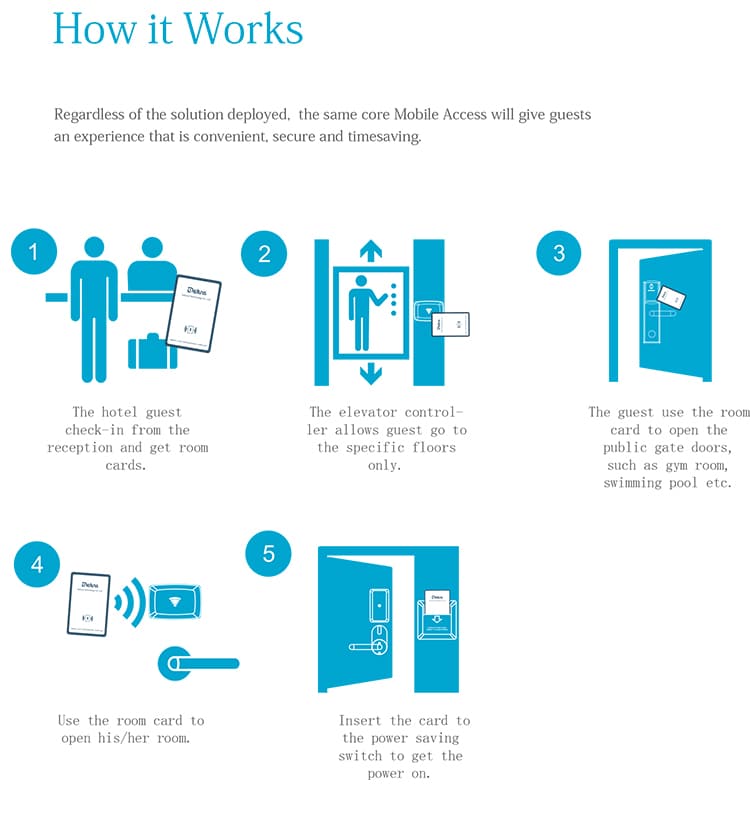
At check-in, the front desk issues a compatible RFID key card using the selected management system. When the guest presents the card to the door reader, the lock checks the credential against its access rules and releases the handle if access is valid. The exact encoding, validity periods and cancellation process depend on the chosen system.
RFID describes the contactless communication method; it does not guarantee that every hotel card works with every lock. Card technology, credential format, encoder and software must be checked together.
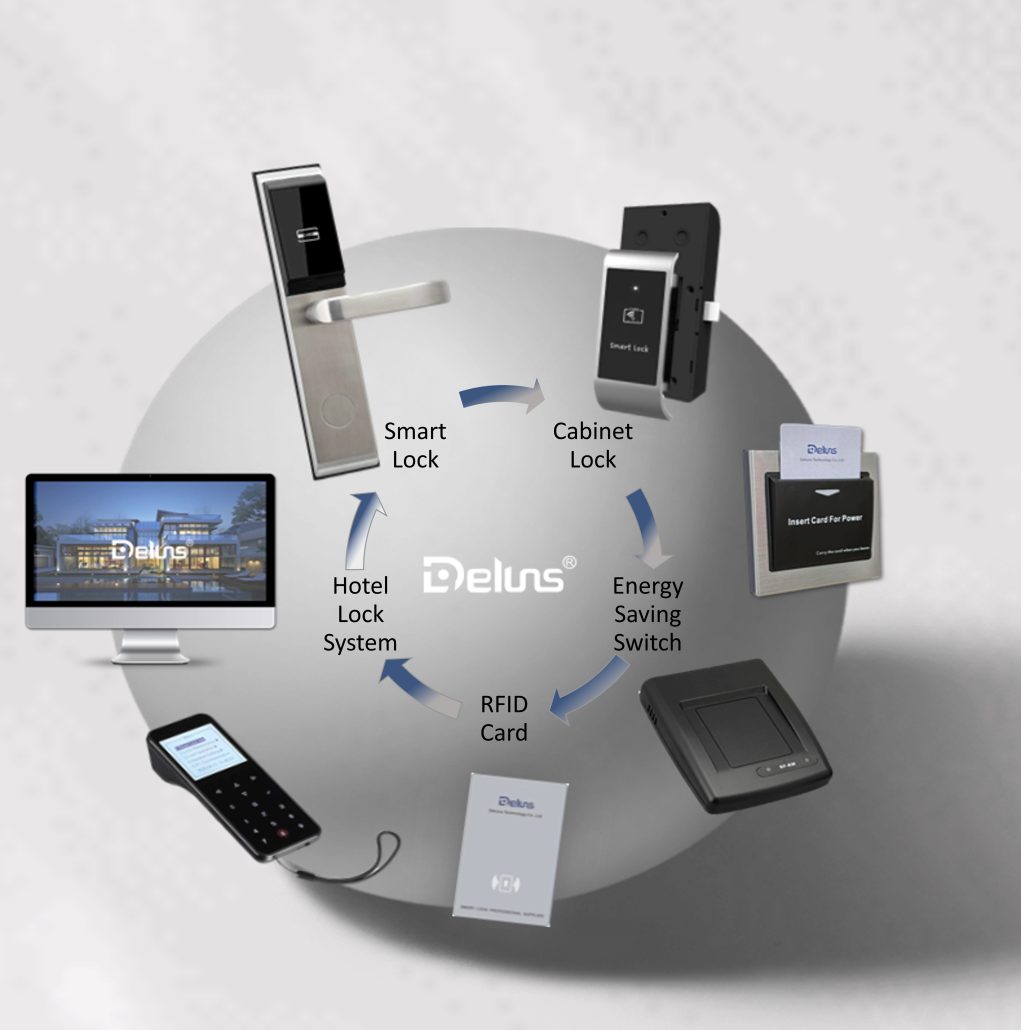
What Does an RFID Hotel Lock System Include?
| Component | What to Confirm Before Ordering |
|---|---|
| Guest room door locks | Door thickness, mortise dimensions, opening direction, finish and installation drawing. |
| RFID key cards | Supported chip and credential format, printing requirements and replacement supply. |
| Card encoder | Compatibility with the selected cards, software and front desk computer. |
| Management software | Room setup, guest card issue, staff permissions, backups and the required operating environment. |
| Optional connected equipment | Gateway, common door, elevator or energy saving switch compatibility where required. |
See our hotel lock system overview for broader system planning, or review hotel lock software and registration information.
hotellocksystem
Choosing RFID Hotel Door Locks for Your Property
Check the Door and Mortise First
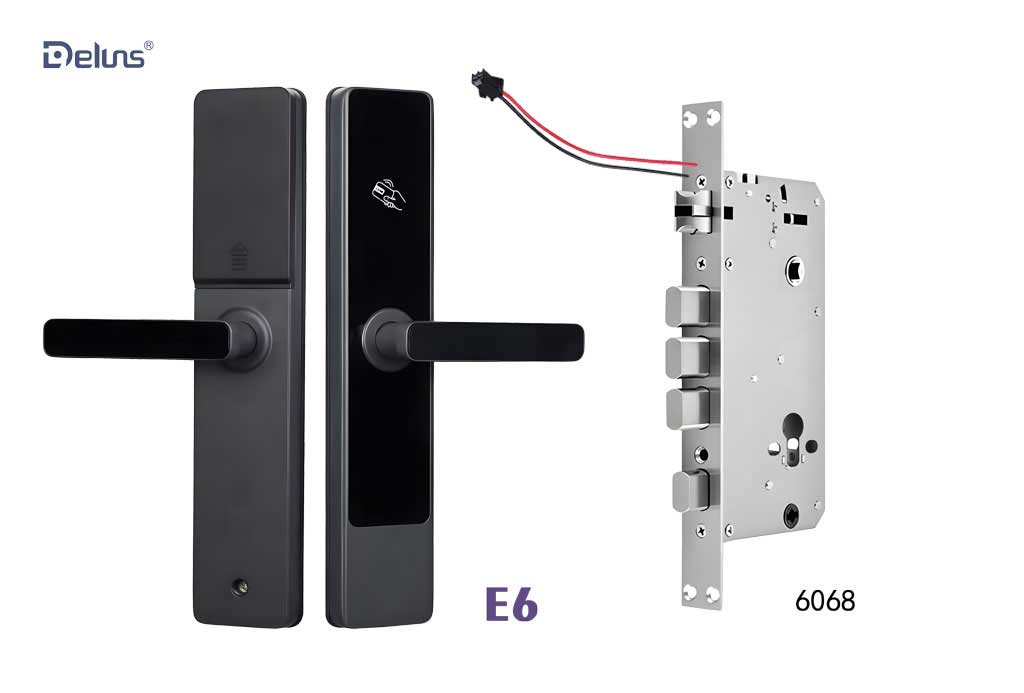
For existing doors, photograph both sides of the door and the door edge. Measure the door thickness, existing lock body and faceplate, handle position and fixing holes. A similar-looking panel does not guarantee that a replacement lock fits. Confirm a dimension drawing before drilling or placing a bulk order.
Plan Guest and Staff Access
List the access you need: guest rooms, housekeeping areas, common entrances and restricted spaces. Ask how guest card expiry, staff access levels, lost card handling and access records work on the specific configuration. Confirm what actions require a visit to the door.
Compare Offline and Connected Operation
An offline card lock can validate credentials locally without a live network connection at the door. Connected systems may add remote management features through compatible networking equipment. Remote cancellation, live status and mobile access are configuration-dependent; confirm them explicitly if they are essential to your operation.
For connected project requirements, explore our hotel lock solutions. For TTHotel training, view the English TTHotel system video tutorials.
Review Maintenance and Emergency Procedures
Confirm the battery type, low-battery indication, replacement process and emergency access method for the selected model. Include spare parts, staff training and a documented response to a lost card or a room lock that will not open. For fire-rated doors, check the required evidence for the complete door and lock assembly against your project’s local requirements.
New Hotel Installation or Existing Lock Replacement?
New hotels: coordinate lock drawings with the door supplier before production. Plan the room numbering, front desk equipment and staff permissions before commissioning.
Renovation projects: assess existing holes, mortise compatibility and visible marks from old panels. Test a sample on one door and verify card issuing, handle movement, latch engagement and guest access before upgrading the remaining rooms.
- Share your room count, door photos and measurements.
- Confirm the hardware drawing and software requirements.
- Test the proposed configuration on a sample door.
- Prepare room settings, staff access and guest card procedures.
- Install, check each door and train the front desk team.
RFID Hotel Door Locks: Frequently Asked Questions
Can I use my existing hotel key cards?
Only if the card technology and credential format are compatible with the new lock system. Send the existing card details and software information for checking; do not assume compatibility from the card’s appearance.
Do RFID hotel locks need Wi-Fi?
Not every system does. Offline card locks can operate without Wi-Fi at the door. A connected solution may need gateways or other network equipment, depending on its design.
What happens when a guest loses a key card?
The front desk follows the system’s replacement and cancellation procedure. On an offline installation, invalidating an old card may require a specific card operation at the room door. Confirm this workflow with your selected system before deployment.
Can RFID locks replace mechanical hotel locks?
They may be suitable, but the existing door preparation must be checked. Door thickness, mortise size, fixing positions and panel coverage determine whether additional work is needed.
How much does an RFID hotel door lock system cost?
A project quotation depends on room count, lock model, finish, door preparation, cards, encoders, software and optional connected equipment. Compare the complete configuration and installation scope when reviewing prices.
Request an RFID Hotel Door Lock Configuration
Send DELUNS your room quantity, installation country, door thickness, opening direction and clear photos of the existing locks. Tell us whether the property is new or being renovated, and which software or remote access functions you need.
Need installation planning or system assistance? View our hotel lock project services.